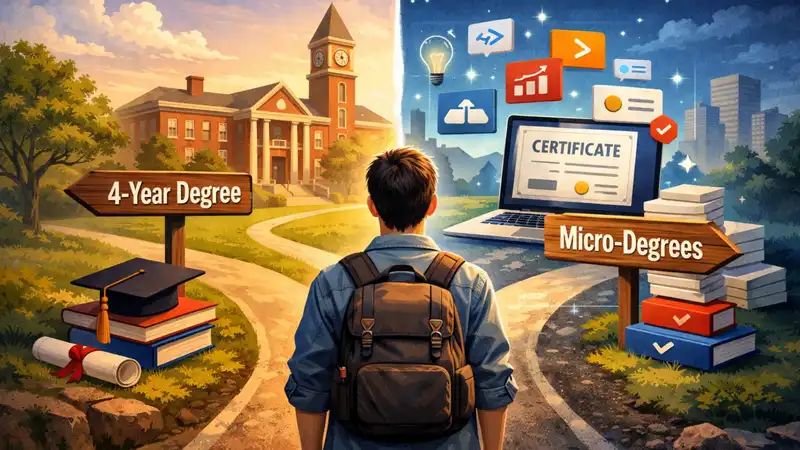


Group projects have changed. One person researches, one designs the slides, and one says, ‘Don’t worry, I’ll ask ChatGPT’.
Assignments, presentations, fests, attendance, and exams are a few words that summarise college life for all the millennials. ChatGPT, Canva, and Consensus might be the ones that do it for Gen Z. AI has taken over in a lot of industries. One such sector is education. The best AI tools every college student should use in 2026 are listed below.
While some may argue that this hinders students’ creativity and makes them more laid back, it is also one of the most inclusive ways to study. These tools enhance student capabilities. And with the evolving times, skills to use AI effectively would definitely be required on the resume. It is almost significant to keep up with the surroundings.
Best AI Tools For College Students
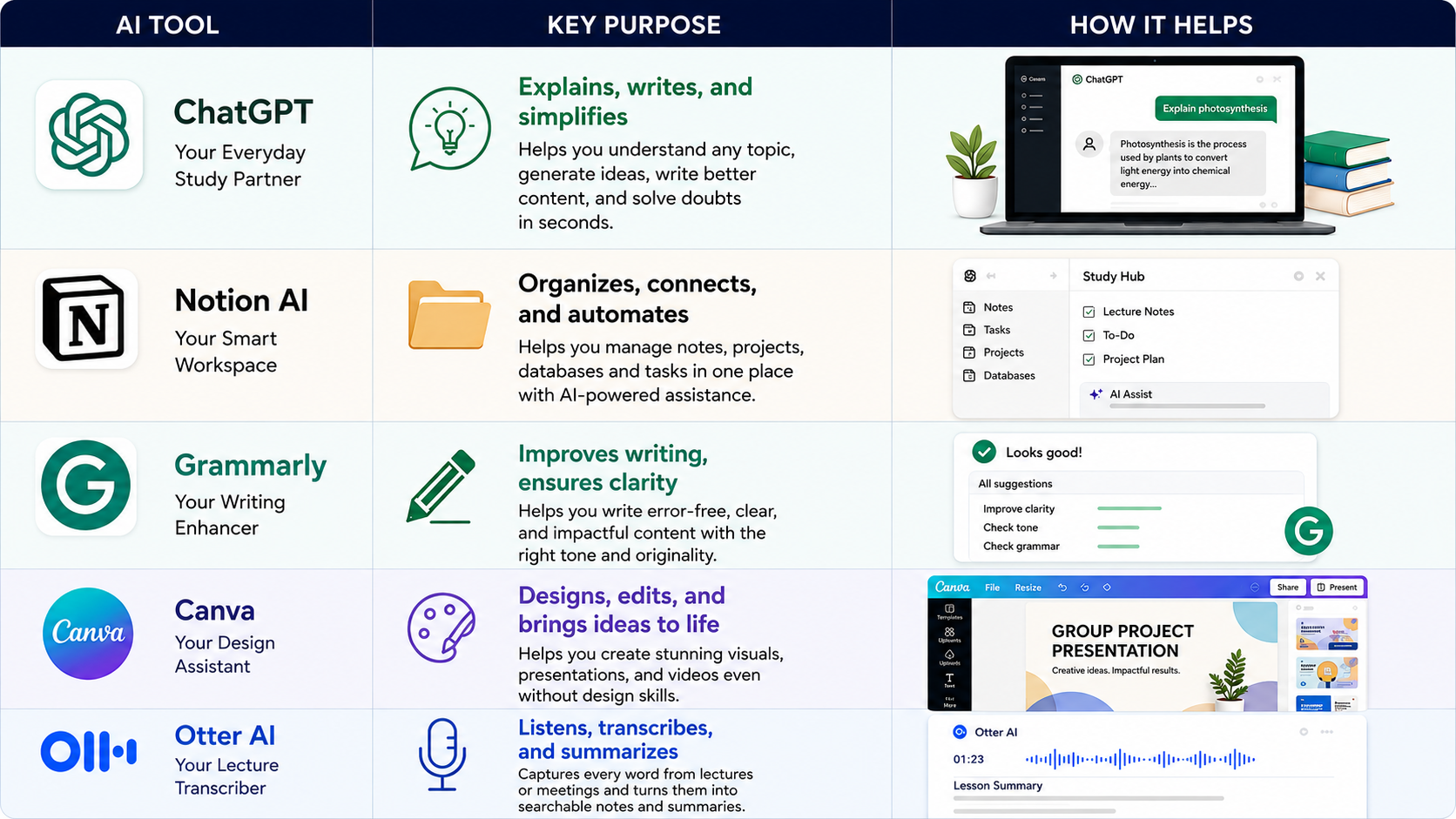
ChatGPT - Your Everyday Study Partner
ChatGPT is an artificial intelligence tool developed by OpenAI. It uses large language models to generate human-like responses. It gathers results from web responses, and the chat experience is like talking with a fellow expert. It is available 24/7. It understands and communicates in a lot of languages. It can simplify learning by tailoring concepts to support age-wise learning.
Best For
ChatGPT works best for:
Brainstorming ideas
Summarising documents
Simplifying complex topics
Coding
Drafting emails/content
Language tutor
Pricing
The free version of ChatGPT can be accessed by using your email address. They do have paid versions ranging from ₹399 to ₹19900 per month. The Go version is priced at ₹399 per month. The Plus version is priced at ₹1999 per month. The Pro version costs ₹19900. Each version offers a better and wider approach to search results.
Notion. AI
Notion AI is a part of the Notion App. It is a workspace that creates, manages, and organises everything according to the user's requirements. It can also directly connect with Slack or Google Drive. It is also available for compiling reports and transcribing information from lectures.
Best For
Notion AI is best for people already working on Notion to manage their data. Apart from that, it:
Search internal documents
Database Autofill
Generate & Audit Content
Multistep automation
Pricing
Notion is priced at $12 a month if making monthly payments, whereas AI is an add-on service for $10 per month. The total cost is $22 per month.
If we pay annually, Notion is priced at $10 a month with AI as an add-on service for $8 per month. The total cost is $18 per month.
Grammarly
Grammarly was developed for college students to improve their English, but later it went on to become one of the best AI communication platforms. It also has a plagiarism checker. It is a cross-platform helper that works amazingly well for desktops, browsers and mobile phones.
Best For
Grammarly is best known for:
Gold standard for grammar checking, globally.
Tone detection
Rewriting styles
Professional polishing
Pricing
Grammarly offers three types of payment methods; the more months you pay for, the less you have to pay.
Their monthly payments are ₹2500 per month.
Quarterly payments are ₹990 per month, totalling ₹2970 every three months.
Their yearly plan is the cheapest. You can get Grammarly benefits at just ₹899 a month, totalling to ₹10788, paid once a year.
Canva Magic Studio
If you need a presentation template other than the universally boring 20 designs that PowerPoint or Google Slides provide, Canva is a must. Canva is a graphic design tool for beginners. It uses a pick-and-drop on canvas system that allows users to choose from hundreds of designs, videos, frames and audio to make designing various things faster and easier.
Best For
Canva is best for:
Social media postings
Presentations
Marketing materials like flyers and posters
Branding
Video editing
Document creation
Pricing
Canva can be used for free with over a million designs and templates to choose from and 5GB storage.
For more options, you can buy Canva Pro at ₹499/- a month, which becomes ₹3999 if billed annually.
Canva also has a business segment called Canva Teams, where it allows teams to work together at ₹400 a month, or ₹3200 if billed annually.
For enterprise security, they also offer a custom solution that works with custom pricing.
Otter. AI
Students often struggle with keeping up with the pace of writing things in a notebook that are being said in an online lecture or to be copied from the blackboard. Otter is a lifesaver in such situations. This programme can identify different speakers, write down what's being said and can even create a summary.
Best For
Otter AI can seamlessly connect with Zoom, Google Meet or Microsoft Teams. It is best for:
Hands-free note-taking
Quick summary generation
Searchable audio archives
Instant actions across workplaces
Pricing
The basic version of Otter is available for free.
The Pro version is priced at ₹1618 for a month, but it comes down to ₹793 per month if paid once a year.
It also has a business version charged at ₹2857 a month, which gets down to ₹1903 a month if billed annually.
The Afterword
When it comes to studying, students are always looking for tips and tricks to simplify the process. They are always looking for shortcuts. The concepts in every category are vast. The least that we can do to help is introduce them to the best AI tools available that can reduce their labour and instead help them channelise that energy to something more complex.
There are a lot of other tools that can help with minor or major activities. NotebookLM can help students to create custom FAQ’s, study guides and summaries. There is Consensus, which helps with peer-reviewed papers and scientific insights. While these apps can help with personalisation, time consumption, availability and accessibility, there are certain drawbacks to them.
There are times when the information can be inaccurate. Students may develop overreliance. While these are still manageable, many experts quote that this heavily hinders students’ personal creativity.
Good research, patience, control, and a strong boundary to use these tools for educational purposes only can make student life much more stress-free. And as said by Elon Musk: “We need to be super careful with AI. It’s capable of vastly more than almost anyone knows, and the rate of improvement is exponential.”